
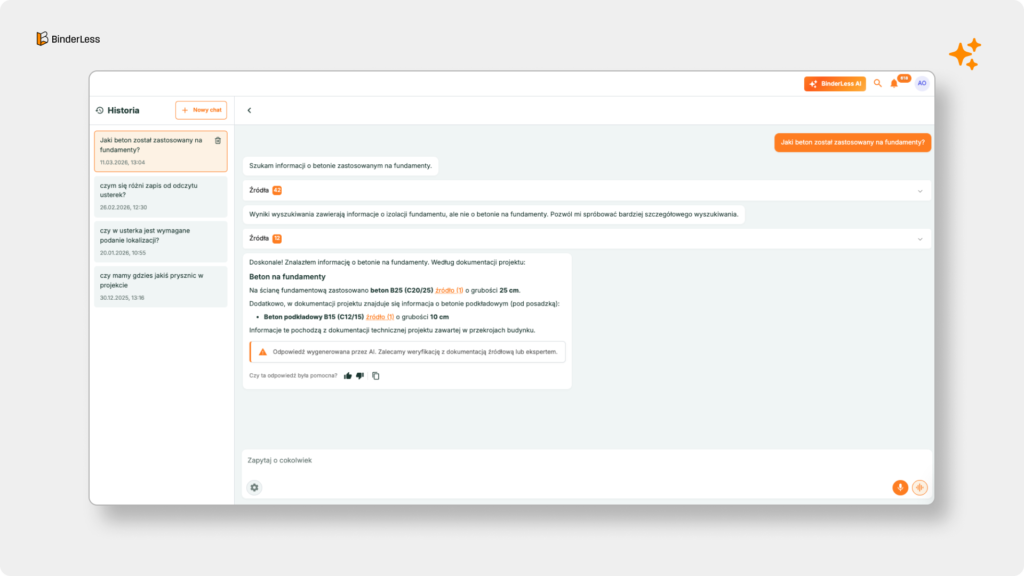
How Does the BinderLess AI Agent Work?
The BinderLess AI Agent analyzes your construction documentation and allows you to ask questions in natural language — as if you were asking an experienced project engineer.

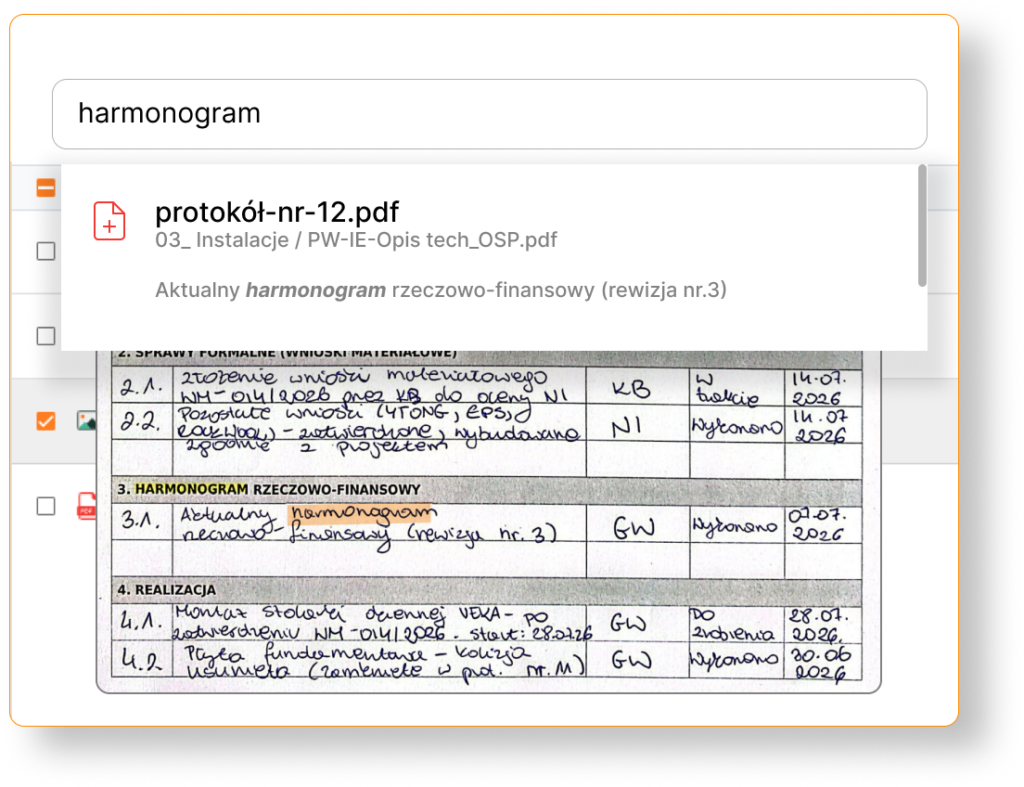
OCR
We read handwriting, scans, and stamps
PDF scans, drawings, images, stamps, signatures, and handwritten notes from the construction site — everything matters.
You don’t need to organize or retype documents. You upload them as they are.
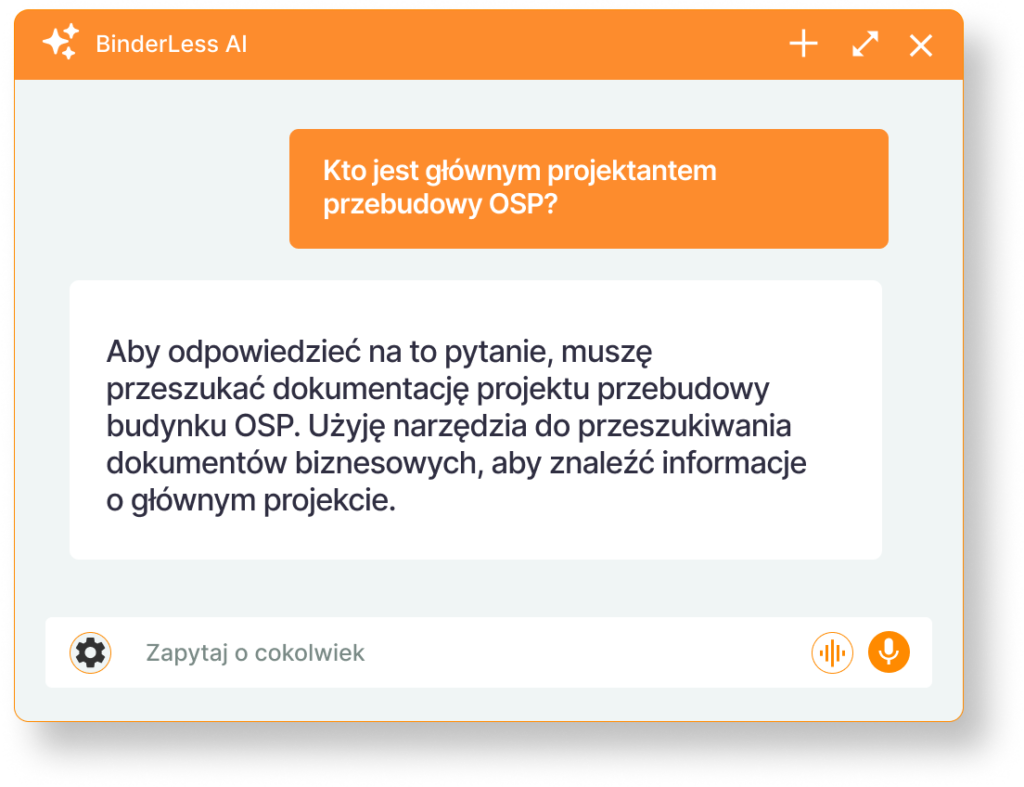
SECURITY
Your Data Remains in a Closed Environment
The AI Agent operates exclusively on documents you upload to BinderLess and to which you yourself have access.
It does not use the open internet and does not learn from other clients’ data.
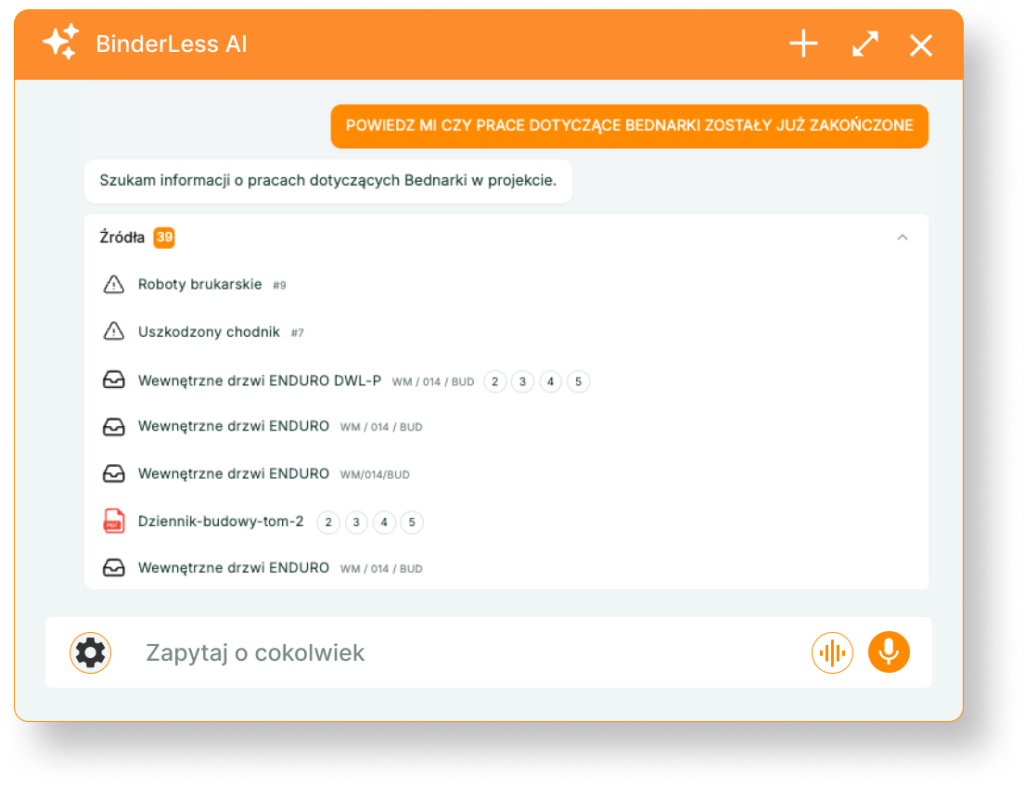
ZERO HALLUCINATIONS
Every Answer Has a Source
The AI Agent does not guess or “invent” information.
It always shows which document the information comes from — with the highlighted text fragment, page number, or drawing.
You can verify it. Always.
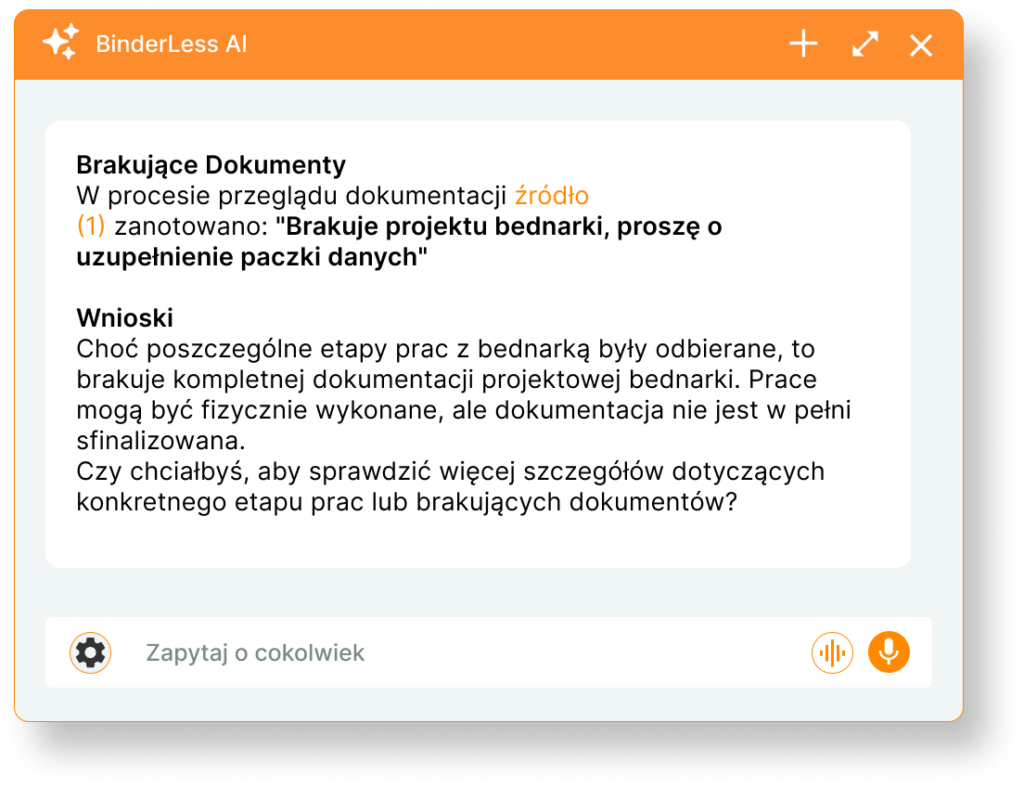
DIGITAL ASSISTANT
Ask about anything you want
The BinderLess AI Agent understands your intentions, combines various search methods, and highlights the most relevant results.
Its clear goal is to provide you with a complete and precise answer. It searches, analyzes, and refines until all possibilities are exhausted.
Leverage the power of the AI Agent, which allows you to “converse” with your documentation, instantly analyzing files and ensuring data security within the EU. Learn how this solution redefines information management in the context of market innovations by reading the article: Notebook LM for Construction? Meet BinderLess’s New AI Agent.
Repeatable work, done the same way every time
BinderLess AI Agent Skills – turn your best prompt into a team standard
Some questions come back on every project: check a material submittals against the specification, turn meeting notes into minutes, draft a formal reply to the client. Instead of writing the same instructions again and again, you save them once as a Skill – a ready-made set of steps the Agent follows on demand.
AI Agent in Practice
See What Questions You Can Ask the BinderLess AI Agent
What can you do in 30 seconds instead of searching for an hour?
| Example Questions | For Whom? |
|---|---|
| List the risks for the project described in the meeting minutes |
For the Construction Manager |
| What is the thickness of the screed on the slab in axis B-C, floor 3? |
For the Construction Manager |
| Prepare an email for the board summarizing the project’s status based on the latest meeting minutes. |
For the Construction Manager |
| Are the cables proposed in material request WM/03/EL consistent with the construction plans? Please specify the exact source. |
Supervision Inspector |
| Does the investor consider contract valorization? What are the conditions for activating valorization on the investment? | Supervision Inspector |
| Does the investor consider contract valorization? What are the activation conditions? |
General Contractor |
| Make a list of windows and compare their prices from different manufacturers. |
General Contractor |
| Check the design to see if there will be new routing for electrical wires during the reconstruction? |
Subcontractor |
| What is the diameter of the condensate drain pipe from the air conditioning system? |
Subcontractor |
| How many defects are currently open and which ones are overdue? |
Investor / Client |
| Which material requests have been awaiting approval for more than 7 days? |
Investor / Client |
| Describe how the gas boiler room control is planned and how often inspections should take place? | Property Manager |
| Write down the warranty conditions for windows installed on the property | Property Manager |
| When was the problem with ground bearing capacity first reported, and what decisions were made? | Claims / Legal Department |
| Analyze all RFIs and meeting minutes regarding foundations | Claims / Legal Department |
Want to know how to prompt effectively? Check out our tutorial and learn this new, essential skill! Read: How to effectively communicate with a digital assistant to make it a real support in daily tasks?
Check out frequently asked questions
Difficult Questions, Simple Answers
Yes. The Agent supports voice input — you can ask a question by speaking instead of typing it manually. For a construction manager or inspector, this means access to all project documentation in seconds, without stopping and pulling out a keyboard. Just ask.
Various!
• “What is the diameter of the condensate drain pipe from the air conditioning?”
• “What is the width of the mounting opening for the ventilation grilles?”
• “Will there be new routing of electrical wiring during the renovation?”
• “What are the requirements for construction supervision?”
• “Write how the gas boiler control is planned”
Everything depends on your needs.
Yes, but it may need a moment to process new files—especially large or scanned ones. If the Agent doesn’t find information from a recently uploaded document, wait a few minutes and try again.
Yes — the Agent has agentic capabilities, meaning it can not only respond but also take action. For example, you can write: “Create a report for a cracked tile in room 112 and assign John Smith” — the Agent will execute this action directly on the platform, and you’ll find the report in drafts.
This is normal — AI, much like a new employee, requires context. If the initial response is too general, try specifying: what exactly you are looking for, the relevant industry or project phase, and the purpose of this information. A single clarifying follow-up often makes a significant difference in the quality of the response.
If the Agent did not find the information, try: (1) rephrasing the question using different words or technical synonyms, (2) narrowing the scope — provide a drawing number, industry name, or project stage, (3) checking if the document is uploaded to the platform. The Agent only responds based on uploaded documentation — if the file is not in the system, it cannot provide an answer.
Yes. If you do not have access to a specific folder or document on the platform, the Agent will also not quote its content in responses. Permissions defined by the project administrator also apply at the AI level. Each project operates in an isolated data space. The Agent does not have access to data from other organizations or BinderLess projects.
The agent eliminates hallucinations because it operates using the RAG (Retrieval-Augmented Generation) method, in which the AI model, instead of ‘inventing’ an answer from memory, first searches for specific fragments from your documents and only then formulates the response. Each answer is anchored in the source text, which you can verify. If the Agent cannot find an answer, it will tell you directly. Each answer includes a cited source: the file name, page number, or drawing number, and the highlighted text fragment. You can click on the reference and immediately navigate to the specific location in the document — without manual searching.
No. BinderLess operates in a closed environment — your documents are not sent to the open internet, are not shared with other clients, and are not used for training AI models. Data remains within the BinderLess infrastructure located in the EU.
Yes. With built-in OCR, the Agent reads PDF scans, construction site photos, stamps, signatures, and handwritten notes. You do not need to transcribe or organize documents before uploading them — simply upload them as is.
Yes. The Agent has access to the entire platform: project documents, material requests, Requests for Information (RFIs), change orders, defects, meeting minutes, and locations. It can combine information from different modules into a single response.
ChatGPT works on the open internet or a single uploaded file. NotebookLM is manually connected to selected documents. BinderLess AI Agent works fully integrated with all your documentation on the platform — all versions, folders, submittals, RFIs, and notes simultaneously, and works exclusively on the documentation of a specific construction project. Unlike ChatGPT or NotebookLM, it does not require manual file uploads, understands project structure, document versions, and user roles, and provides every answer with its source.